
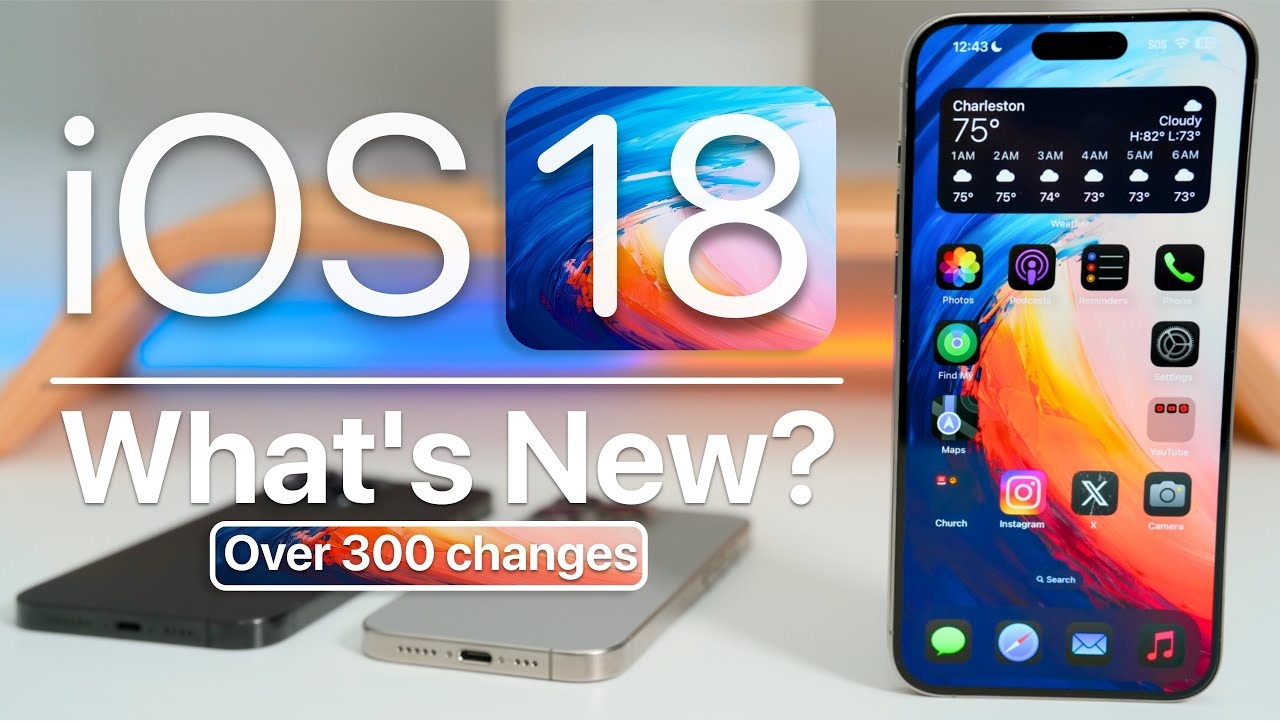
Apple’s iOS 18 is officially available, delivering unprecedented personalization and enhanced capabilities for iPhone users globally. With a revamped Home Screen, a redesigned Photos app, and upgrades to Messages and Mail, iOS 18 promises a more personalized, secure, and productive experience. Here’s everything you need to know about the latest Apple update.
Unmatched Customization in iOS 18
With iOS 18, users gain the freedom to personalize their iPhone Home Screen in ways never before possible. The new customization features allow users to position app icons and widgets anywhere, create dynamic layouts, and add unique visual effects such as light, dark, or color-tinted icons. Users can even enlarge app icons for a sleeker appearance.
Control Center has also received a major overhaul. Now more flexible, users can organize key functionalities like media playback, Home controls, and connectivity into a customizable gallery. For the first time, iOS 18 lets users modify their Lock Screen controls, making it easier to access essential tools right from the Action button.
Major Enhancements to Photos App
The Photos app receives its biggest update yet, making it easier than ever to relive cherished memories. The redesigned layout presents a streamlined view of the entire library, while intelligent collections like “Recent Days,” “People & Pets,” and “Trips” automatically organize your photos. The app’s powerful on-device intelligence helps users save time by surfacing important moments and enabling personalized layouts.
Redesigned Messages and Advanced Privacy Features
iOS 18 introduces exciting new ways to stay connected through Messages. With new text formatting options like bold, italics, and underline, users can better express themselves. The introduction of emoji and sticker Tapbacks gives users countless ways to react in a conversation. Plus, a new feature allows users to compose and send iMessages later.
For those concerned with privacy, iOS 18 delivers essential security upgrades. Users can now lock apps behind Face ID, Touch ID, or a passcode, ensuring that sensitive apps remain hidden in a “hidden app folder” in the App Library. This extra layer of privacy is a game-changer for users who want to keep their personal information safe.
Advanced Mail Features for Better Organization
Later this year, iOS 18 will introduce intelligent email categorization, organizing messages into distinct categories like Primary, Promotions, and Transactions. This organizational system will help users prioritize important emails while providing a clearer view of less urgent messages. With its digest view, users can quickly scan through grouped emails, making inbox management more efficient than ever.
Distraction-Free Browsing in Safari
Safari, Apple’s flagship web browser, has received substantial upgrades in iOS 18. A new feature called Highlights surfaces key information such as addresses, summaries, or relevant details from webpages, making it easier for users to access important content quickly. The redesigned Reader mode improves article readability by summarizing longer pieces and providing a streamlined table of contents.
For users looking to reduce distractions, Safari now offers a Distraction Control feature that removes intrusive elements like sign-in banners and content overlays from websites. This ensures a smoother and more focused browsing experience.
All-New Passwords App for Enhanced Security
iOS 18 introduces a standalone Passwords app, built on Apple’s Keychain, offering users an easier way to manage their passwords. With end-to-end encryption, Passwords seamlessly syncs across all Apple devices, providing secure access to credentials, passcodes, and verification codes. It alerts users if a password is weak, reused, or involved in a known data breach. This user-friendly app is a welcome addition for anyone prioritizing their online security.
Apple Intelligence: A New Era of Personal AI
Coming in iOS 18.1, Apple Intelligence represents a massive leap forward in personal AI. Integrating generative models with personalized user data, Apple Intelligence delivers contextually relevant insights, while maintaining privacy and security. From generating writing tools for rewriting and proofreading text to creating Memories movies by simply typing descriptions, Apple Intelligence is set to revolutionize the way users interact with their devices.
A standout feature is its natural language search, enabling users to find specific photos or moments within videos. This on-device intelligence also powers a new Clean Up tool, which can remove distracting background objects from photos without affecting the subject.
Siri’s Transformation: A Smarter, More Integrated Assistant
Siri becomes more intuitive with iOS 18. The redesigned Siri experience now includes an elegant glowing light around the edge of the screen when activated. Users can seamlessly switch between text and voice inputs, and Siri’s enhanced language understanding allows it to follow along with users, even if they stumble over their words.
Apple’s Siri now has the ability to answer thousands of product-related questions and offers extensive knowledge about iPhone settings and features. With improved contextual understanding, Siri delivers faster and more accurate responses to user requests.
Game Mode and Apple Maps Upgrades
For gamers, iOS 18 introduces Game Mode, enhancing gameplay by providing consistent frame rates, especially during long play sessions. This mode makes wireless accessories like AirPods and game controllers more responsive.
Apple Maps also receives significant improvements, with thousands of national park hikes now available to browse. Users can create custom walking routes and access them offline, saving their favorite spots to an all-new Places Library. This feature is perfect for outdoor adventurers looking to explore with ease.
More Secure and Convenient Payments with Apple Pay
Starting today, eligible U.S. users can redeem rewards with Discover credit cards and apply for loans via Affirm, right from the Apple Pay platform. Meanwhile, U.K. users can take advantage of installment payments through Monzo Flex. Tap to Cash is another innovative feature, allowing users to send and receive Apple Cash by simply holding their iPhone near another Apple device.
New Accessibility and Health Features
iOS 18 introduces advanced accessibility options, including Eye Tracking for navigating iPhone using just eye movements, and Music Haptics, which allows users who are deaf or hard of hearing to experience music through vibrations. Additionally, a new Hearing Aid feature is coming to AirPods Pro 2, offering users with mild to moderate hearing loss an affordable hearing assistance solution.
The Health app has also been redesigned, offering improved support for pregnancy tracking, mindful minute tracking, and better data insights for users.
iOS 18: The Ultimate Guide to New Features and Updates
Apple has officially released iOS 18, and with it comes an array of exciting features and enhancements for iPhone users worldwide. Whether you’re an iPhone veteran or new to the Apple ecosystem, this latest update offers something for everyone. In this article, we’ll take an in-depth look at all the key changes and additions that iOS 18 brings, including home screen customization, widget improvements, and new privacy features.
iOS 18: Device Compatibility and Installation
Before diving into the new features, it’s essential to note that iOS 18 is compatible with all devices that supported iOS 17. If you’re running iOS 17 on your device, you’re eligible for this update. Installing iOS 18 is straightforward:
- Navigate to Settings
- Select General
- Go to Software Update
If the update doesn’t appear immediately, turning off automatic updates and checking again may help. Apple has synchronized this release globally, meaning users around the world can install iOS 18 at the same time.
Home Screen Customization: A New Level of Flexibility
One of the most anticipated features of iOS 18 is the enhanced ability to customize your home screen. While previous versions allowed some degree of personalization, iOS 18 takes it further.
- Free Placement of Icons: For the first time, you can place app icons wherever you want on the screen. While they still snap to a grid, users can now position icons more freely, making for a cleaner and more personalized layout.
- Widget Resizing and Placement: Widgets have also become more flexible. You can resize and move them across the screen, although they still align with the grid structure. The ability to resize widgets opens up new possibilities for organizing your home screen.
Customizing icons extends to adjusting their size and appearance. iOS 18 includes an option to make icons larger or smaller, and you can even remove labels to create a cleaner look. Furthermore, dark mode lovers will appreciate the ability to switch between light and dark icons depending on their preferences.
New Widget Features: More Control at Your Fingertips
Widgets are more powerful in iOS 18, offering increased functionality and customization. Whether you’re using widgets for fitness, electricity usage, or apps like Journal, iOS 18 allows you to cycle through various widget sizes and layouts.
Key updates include:
- New Journal Widget: A widget that provides easy access to your journaling app, allowing you to quickly jot down thoughts or review past entries.
- Fitness Tracking Widget: With this widget, users can monitor their training load, health vitals, and cycle tracking in one convenient place.
- Electricity Usage Tracking: For users in supported regions, this new widget helps track home electricity consumption directly from your home screen.
With these new additions, iOS 18 emphasizes providing more functionality directly from the home screen without needing to open multiple apps.
Privacy and Security: Locking Apps with Face ID
Privacy has always been a core value for Apple, and iOS 18 takes it up a notch by allowing users to lock individual apps using Face ID or Touch ID. Here’s how it works:
- Press and hold the app icon
- Select “Require Face ID”
- Choose whether to lock the app or hide it entirely
Once locked, apps won’t display notifications, calls, or alerts, and hidden apps can only be accessed through a “Hidden Folder,” accessible with Face ID or Touch ID.
This added layer of security is particularly useful for apps like banking, messaging, or social media, ensuring that your personal information remains protected even if someone gains access to your phone.
Redesigned Control Center: More Personalization Options
The Control Center has undergone a complete overhaul, offering users more customization than ever before. In iOS 18, you can:
- Reorganize Controls: Press and hold any control to rearrange it. Add new controls from an extensive list of options like Accessibility features, Notes, or Calculator.
- Multiple Pages: If you add too many controls, they will automatically be organized into multiple pages, which you can swipe through easily.
The new design not only makes the Control Center more user-friendly but also allows users to access their most-used features faster. For instance, there’s a new power button in the Control Center that lets you power off your phone with just a tap, offering an alternative to holding down physical buttons.
Lock Screen Customization: Tailored to Your Preferences
iOS 18 continues the theme of personalization by bringing several new customization options to the lock screen. You can now:
- Add and Remove Camera and Flashlight Controls: Don’t want the camera or flashlight on your lock screen? You can now remove these icons or replace them with other frequently used controls, like Calculator or Clock.
- Change Time Styles: Apple has introduced several new font options and time styles, allowing you to match the lock screen aesthetic to your overall device theme.
Like the home screen, the lock screen is now more customizable than ever, giving users a greater degree of control over how their iPhone looks and functions.
Spotlight Search: Enhanced Search Capabilities
Spotlight Search has been significantly improved in iOS 18, making it easier to find exactly what you’re looking for. New features include:
- Call History Search: Looking for a specific call? Spotlight can now search through your call history, helping you find contacts and numbers quickly.
- Sports and Team Follow: Follow your favorite sports team directly from Spotlight Search and receive updates and news without needing to navigate through multiple apps.
These updates make Spotlight a much more powerful tool for managing everyday tasks and staying informed.
The Action Button: A Pro-Exclusive Feature
For users of the iPhone 15 Pro, 15 Pro Max, or iPhone 16, Apple has introduced a customizable Action Button. This feature lets you assign a specific action to the button, whether it’s launching the Camera, turning on the flashlight, or enabling a Focus mode.
One notable addition is the new animation for the flashlight, where you can adjust the beam strength and width, offering more control over the intensity of the light.
Conclusion: iOS 18 Brings Personalization and Privacy to the Forefront
iOS 18 is packed with features that cater to personalization, privacy, and convenience. From flexible home screen layouts to enhanced privacy controls with app locking, the latest update delivers a more tailored and secure iPhone experience. With these enhancements, iOS 18 is set to revolutionize how users interact with their devices, ensuring that your iPhone feels more like your own than ever before.
If you haven’t updated to iOS 18 yet, now is the time to explore all the exciting new features. This latest version promises to make your iPhone not just smarter but also more intuitive and user-centric.