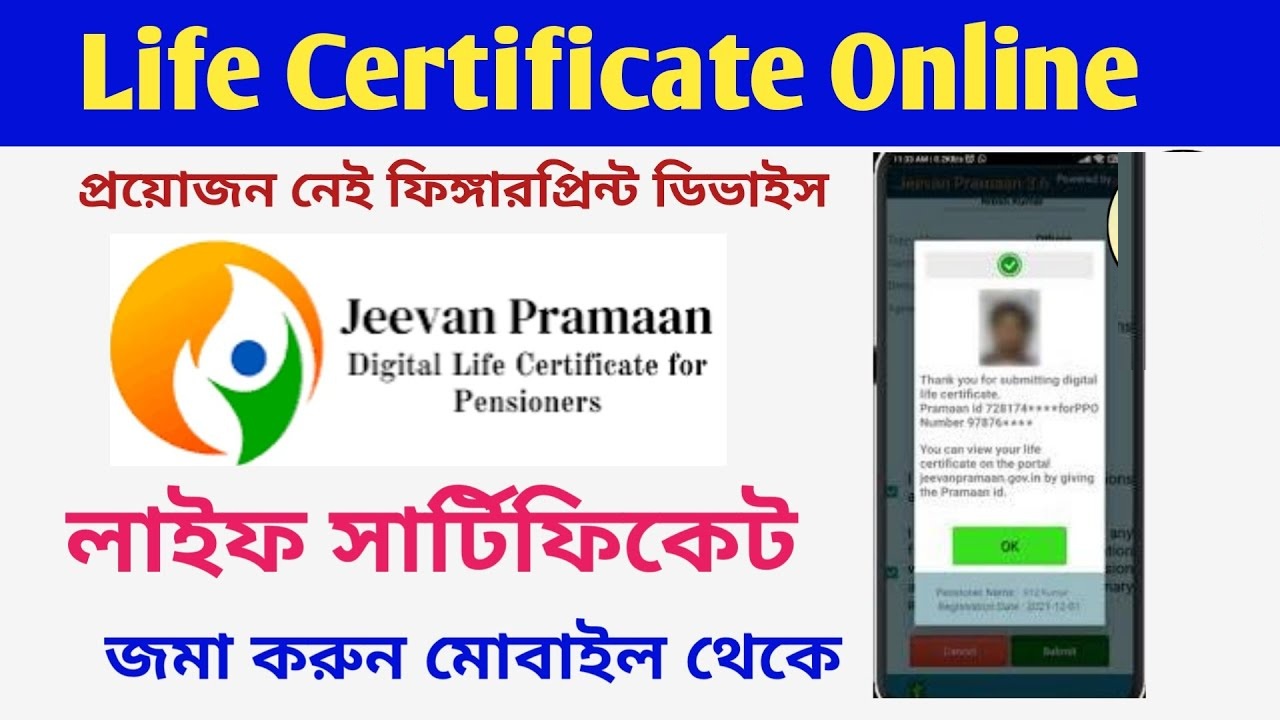
The annual submission of a life certificate, also known as Jeevan Pramaan Patra, is essential for pensioners in India to continue receiving their pension benefits. The Government of India has digitized this process through the Jeevan Pramaan Digital Life Certificate initiative, making it more accessible for pensioners nationwide. This article covers the steps to submit a life certificate in 2024, deadlines, and key details to keep pension payments seamless.
Understanding the Jeevan Pramaan Digital Life Certificate Scheme
The Jeevan Pramaan Digital Life Certificate (DLC) was introduced by the Indian government to streamline the life certificate submission process for pensioners. Previously, pensioners were required to either visit their Pension Disbursing Agency (PDA) or send a physical certificate. The digital initiative reduces the hassle by allowing pensioners to submit their life certificate from any location using digital means.
Submission Deadline for the Life Certificate in 2024
Pensioners must submit their life certificates by November 30, 2024, for their pension disbursement to continue uninterrupted into the next year. Once submitted, the certificate remains valid until November 30 of the following year. Pensioners aged 80 and above, however, are permitted to submit their certificates starting from October 1, 2024.
Benefits of Using the Jeevan Pramaan Digital Life Certificate
The Jeevan Pramaan DLC offers several advantages for pensioners:
- Convenience: The life certificate can be generated from anywhere using a Windows or Android device with internet access and a certified biometric device.
- Automated SMS Notifications: Pensioners receive automated SMS updates about their DLC submission and processing status.
- Direct Transfer to Pension Disbursing Agency: The DLC is automatically transferred to the respective PDA, ensuring quick processing.
- Improved Accessibility: Pensioners no longer need to physically visit their bank or post office to submit their certificate, reducing travel and waiting times.
Requirements for Submitting Jeevan Pramaan Patra
To submit a digital life certificate, pensioners need to ensure that their pension sanctioning authority has adopted the DLC system and that their PDA is registered on the Jeevan Pramaan portal. Once these prerequisites are met, pensioners can easily generate and submit their life certificates online.
Steps to Download the Jeevan Pramaan Mobile App
The Jeevan Pramaan mobile app simplifies the process of submitting a digital life certificate. Here’s how to download and use it:
- Visit the Official Website: Go to the Jeevan Pramaan website at https://jeevanpramaan.gov.in and click on the “Download” tab.
- Enter Your Details: Provide your email ID, solve the captcha, and click on “I agree to Download.”
- Verify with OTP: An OTP will be sent to your email. Enter the OTP to continue.
- Download the Mobile App: After verification, click on the provided link to download the Jeevan Pramaan mobile app. Note that the link expires after one use.
Step-by-Step Guide to Submitting the Life Certificate Online
1. Download the Required Apps
To submit your life certificate digitally, you will need two apps:
- Aadhaar Face RD: This app is required for Aadhaar-based face authentication.
- Jeevan Pramaan: This is the main app through which the life certificate submission process is completed.
Both apps are available on the Google Play Store. Start by downloading and installing Aadhaar Face RD for facial authentication, followed by the Jeevan Pramaan app.
2. Aadhaar Face Authentication Process
Once you have installed the Aadhaar Face RD app, open it and complete the facial authentication setup. The app will prompt you to take a clear photo of your face, and it may require specific facial movements such as opening and closing your eyes to confirm identity.
3. Registering on the Jeevan Pramaan App
After the Aadhaar Face RD app setup, proceed to open the Jeevan Pramaan app and register as an operator:
- Enter Aadhaar and Mobile Number: Input your Aadhaar number and the mobile number linked to it.
- Enter Email ID: (If applicable) Enter your email ID to receive further communications.
- Complete OTP Verification: An OTP (One-Time Password) will be sent to your registered mobile number or email. Enter the OTP in the app to complete verification.
- Submit Personal Details: After OTP verification, you’ll need to fill in basic information such as your name and other identifying details to register on the app.
4. Submitting the Life Certificate
With registration complete, you can now submit your life certificate through the Jeevan Pramaan app:
- Provide Pensioner Details: Enter details like your full name as per Aadhaar, type of pension (such as family or service pension), and organization details.
- PPO Number and Account Information: Fill in your Pension Payment Order (PPO) number and bank account details where the pension is credited.
- Face Authentication: The app will prompt you to perform a face scan through the Aadhaar Face RD app to complete biometric authentication. Follow the instructions, and upon successful face capture, the authentication will be completed.
5. Confirmation of Submission and Acknowledgment
Once the face authentication is successful, your life certificate will be submitted digitally. A confirmation message will appear on the screen, and a Jeevan Pramaan ID will be generated as proof of your submission. You can take a screenshot or note down the Jeevan Pramaan ID for future reference.
Tracking and Receiving Updates on Life Certificate Submission
After submitting the life certificate, the Jeevan Pramaan app will keep you updated on the status:
- Approval Notification: Within a few days, you should receive a confirmation message regarding the approval of your life certificate. This notification will be sent to the registered mobile number or email.
- Rejection Notification: In case of any issue with the submitted certificate, a rejection message will be sent, stating the reason. You may need to re-submit your certificate if errors occur.
Frequently Asked Questions (FAQs)
Q1: Can the Jeevan Pramaan certificate be submitted from any mobile device?
Yes, as long as the mobile device supports Android and has an internet connection, pensioners can use it to submit their life certificates digitally.
Q2: What should I do if my Jeevan Pramaan certificate is rejected?
If you receive a rejection notification, review the stated reason and correct any issues. You can re-submit the life certificate by following the app’s steps again.
Q3: Is the Jeevan Pramaan app available for iOS users?
As of now, Jeevan Pramaan is primarily available on Android. iOS users may need to look for alternate devices to complete the submission process.
Benefits of Using the Jeevan Pramaan Digital Life Certificate System
Convenience and Accessibility
The digital submission process through the Jeevan Pramaan app eliminates the need for pensioners to travel to banks or offices, especially helpful for those with limited mobility.
Time-Saving Process
Submitting the certificate online takes only a few minutes, significantly reducing the time and effort required compared to the traditional method.
Secure and Reliable
The Jeevan Pramaan system uses Aadhaar-based biometric authentication, which ensures a secure and reliable process.
Once downloaded, pensioners can use the app to generate and submit their digital life certificate directly from their mobile device.
Consequences of Missing the Life Certificate Submission Deadline
If a pensioner does not submit their life certificate by the deadline of November 30, pension payments will be temporarily halted starting from December. Pension disbursements will resume once the life certificate is updated in the system, along with any pending arrears. However, if the life certificate remains unsubmitted for over three years, reactivation of the pension requires approval from the competent authority via the Central Pension Accounting Office (CPAO).
How to Submit Jeevan Pramaan Certificate Using Face Authentication
The Jeevan Pramaan process also includes a face authentication feature, allowing pensioners to submit their life certificate through Aadhaar-based facial recognition technology. Here’s how to use it:
- Install the Aadhaar Face RD App: Download the “Aadhaar Face RD” app (version 0.7.43 or latest) from the Google Play Store.
- Download the Jeevan Pramaan App: Install the Jeevan Pramaan app from the Google Play Store and enter details like name, pension type, sanctioning authority, PDA, PPO number, and account number.
- Authenticate Using Face Recognition: Use the Aadhaar Face RD app for biometric verification, then submit the certificate through the Jeevan Pramaan app.
Methods for Life Certificate Submission
Pensioners and their family members have several options for submitting their life certificates, including:
- Jeevan Pramaan Portal: Digital submission through the Jeevan Pramaan app.
- Doorstep Banking (DSB) Agent: This allows pensioners to submit their certificate from home.
- Biometric Devices at Post Offices: Available at local post offices for in-person submission.
- Physical Submission at Bank Branches: Traditional submission using physical forms at designated bank branches.
Offline Submission of Life Certificate
For those preferring the offline method, the life certificate can still be submitted directly at banks, post offices, or other designated centers. Pensioners should ensure they have updated Aadhaar details linked to their PDA for a smooth offline submission process.
Summary of Life Certificate Submission Period for Different Age Groups
- For Pensioners Under 80 Years: Submit between November 1 and November 30.
- For Pensioners Aged 80 and Above: Submission begins on October 1, extending to November 30.
This flexibility for senior pensioners helps streamline their submissions and avoid last-minute inconveniences.
Final Thoughts on Digital Life Certificate Submission for 2024
The Jeevan Pramaan Digital Life Certificate system is an essential step towards making the pension process more efficient and accessible for retirees across India. By following the outlined procedures and meeting the deadlines, pensioners can ensure uninterrupted pension payments, all while saving time and effort through digital submission.