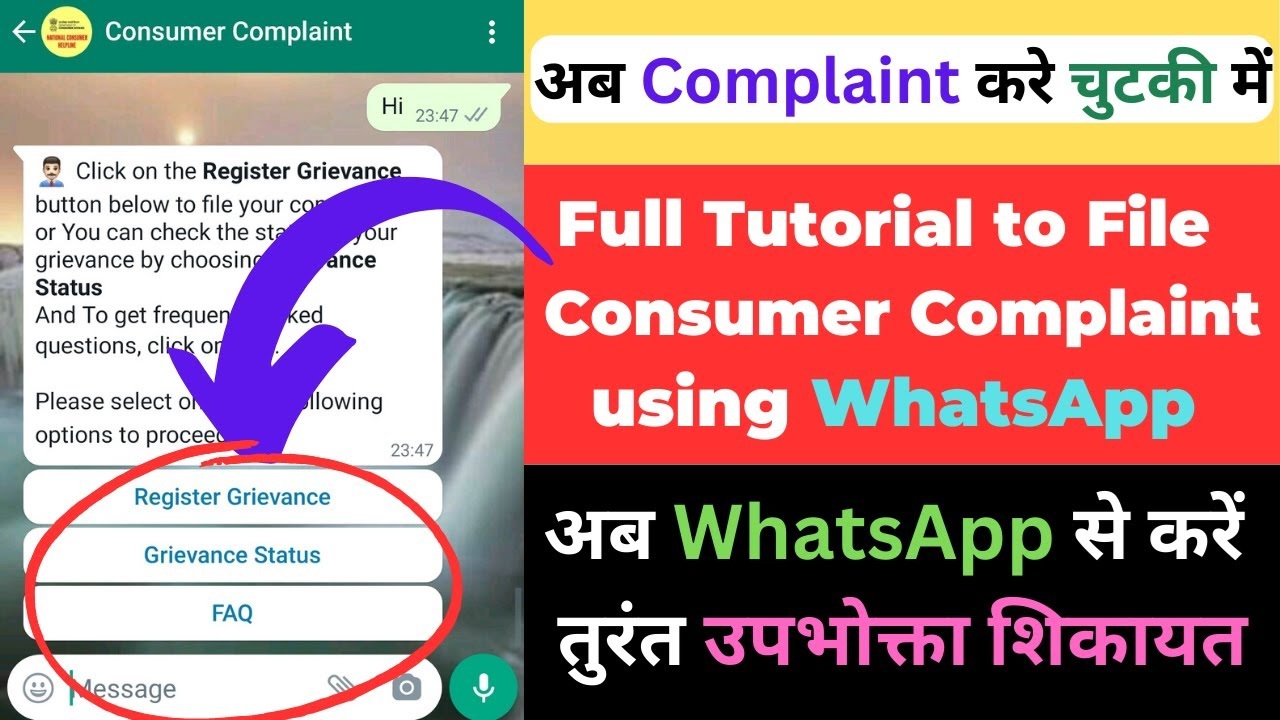
Are you being overcharged beyond the Maximum Retail Price (MRP) for products? Have you encountered substandard items or poor service? You can now file a complaint with the Consumer Commission from the comfort of your home. How to File a Consumer Complaint via WhatsApp.
Filing Complaints for Overpricing and Substandard Products
Facing issues with overpricing or substandard products? The Consumer Affairs Ministry has introduced a ‘WhatsApp Chatbot’ service to streamline the complaint process. Simply type ‘Hi’ to the WhatsApp number 88000 01915 to get started. Follow the instructions to register your complaint with the National Consumer Helpline.
How to Use the WhatsApp Chatbot for Consumer Complaints
- Initiate the Chat: Send ‘Hi’ to 88000 01915 on WhatsApp.
- Provide Details: Follow the prompts to enter your complaint details.
- Submit Complaint: Your complaint will be registered with the National Consumer Helpline.
- Case Transfer: Details will be forwarded to the District Consumer Commission for resolution.
- Receive Guidance: Receive necessary advice and updates until your case is resolved.
Additional Complaint Channels
In addition to the WhatsApp service, you can also call 1800114000 or 1915 (available from 8 AM to 8 PM) to file your complaint. These channels ensure that thousands of complaints are addressed daily.
How to File a Consumer Complaint on NCH Using WhatsApp
Navigating consumer complaints can be daunting, but with the advent of technology, filing a complaint has become more accessible and efficient. In this comprehensive guide, we will walk you through the process of filing a consumer complaint using WhatsApp via the National Consumer Helpline (NCH).
Step-by-Step Guide How to File a Consumer Complaint via WhatsApp
1. Save the NCH WhatsApp Number
To begin, you need to save the NCH WhatsApp number on your phone. Open your contacts, and save the number under any name you prefer, such as “Consumer Complaint”.
2. Initiate the Chat
Once saved, open WhatsApp and search for the contact name you saved. Type “Hi” and send it to initiate the chat. The NCH automated chatbot will respond with options in English and Hindi. Choose your preferred language by typing “1” for English or “2” for Hindi.
3. Select the Complaint Category
After choosing your language, the bot will ask if you want to register a complaint, check the status of an existing complaint, or ask a question. For a new complaint, type “1”. Next, the bot will present various categories such as broadband, insurance, automobiles, etc. Select the relevant category by typing the corresponding number.
4. Provide Complaint Details
You will then need to provide details about your complaint. For example, if you’re complaining about an online purchase, select “Online Shopping” under the e-commerce category. The bot will ask for specific information like the company’s name, the nature of the grievance, the value of the product, and other relevant details.
5. Complete the Complaint Form
After providing the basic details, the bot will prompt you to enter your full name, gender, mobile number, state, and city. Ensure all information is accurate to avoid delays in processing your complaint.
6. Submit the Complaint
Once you have entered all the necessary information, the bot will generate an OTP (One-Time Password) which will be sent to your registered mobile number. Enter this OTP in the chat to verify your identity. After verification, the bot will confirm the registration of your complaint and provide you with a complaint number for future reference.
Checking the Status of Your Complaint
To check the status of your complaint, open the chat with the NCH WhatsApp number and type “Status”. The bot will ask for your registered mobile number and the complaint number provided during the registration process. After verification, you will receive the current status of your complaint.
Frequently Asked Questions (FAQs)
What if I don't receive a response from the NCH bot?
Ensure that you have a stable internet connection and that you have saved the correct NCH WhatsApp number. If the problem persists, try restarting your phone or contacting NCH through their helpline.
Can I file a complaint for someone else?
Yes, you can file a complaint on behalf of someone else, but you must provide accurate information and have their consent.
Is there any fee for filing a complaint through WhatsApp?
No, filing a complaint through WhatsApp with NCH is free of charge.