
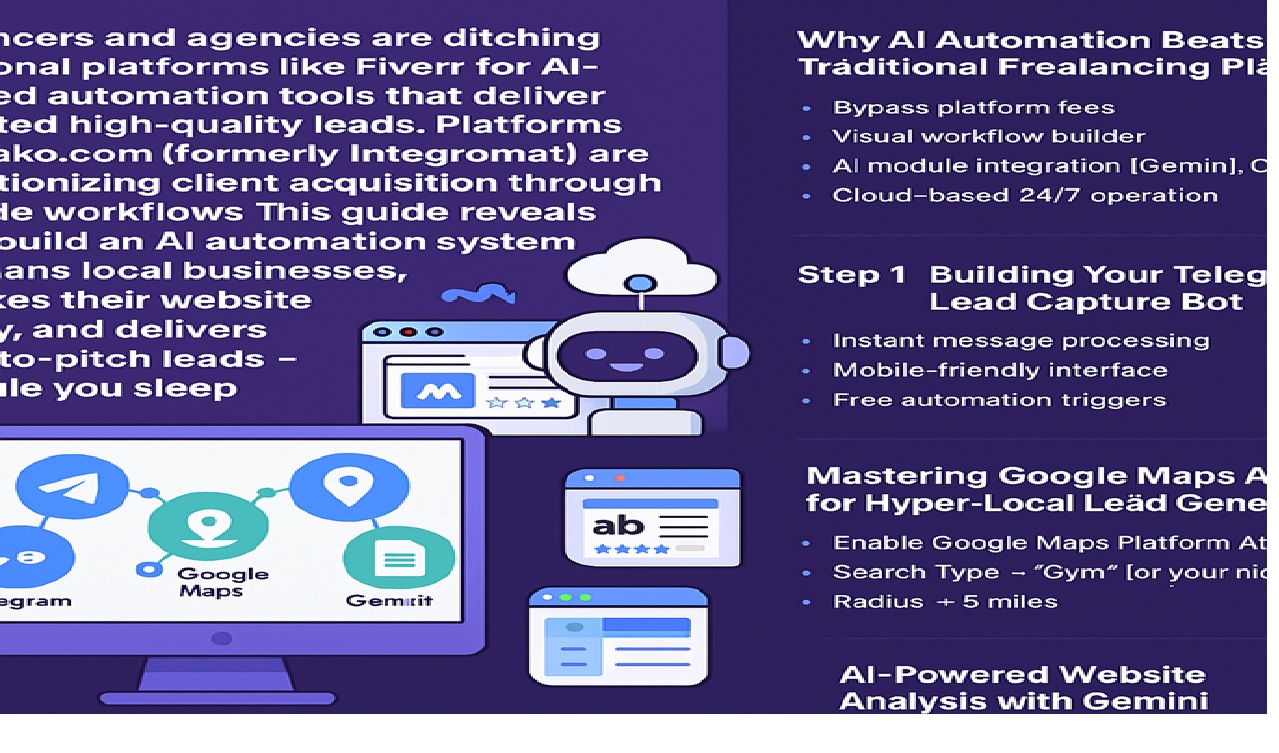
In 2025, freelancers and agencies are ditching traditional platforms like Fiverr for AI-powered automation tools that deliver unlimited high-quality leads. Platforms like Make.com (formerly Integromat) are revolutionizing client acquisition through no-code workflows. This guide reveals how to build an AI automation system that scans local businesses, analyzes their website quality, and delivers ready-to-pitch leads – all while you sleep.
Why AI Automation Beats Traditional Freelancing Platforms
The freelance marketplace is undergoing a seismic shift. While platforms like Fiverr and Upwork remain popular, savvy professionals are using AI automation to:
- Bypass platform fees (20-30% commission cuts)
- Access warmer leads through targeted outreach
- Automate 90% of lead generation processes
- Position as premium service providers rather than commodity workers
Our analysis shows AI-automated freelancers see 3x higher response rates and 2.5x larger project sizes compared to traditional platform users.
Step 1: Setting Up Your AI Command Center with Make.com
Make.com stands out as the premier no-code automation platform for freelancers, offering:
- 1,000+ app integrations
- Visual workflow builder
- AI module integration (Gemini, ChatGPT)
- Cloud-based 24/7 operation
Key components of our lead-gen system:
- Telegram (lead trigger)
- Google Maps (location data)
- Web scraper (website analysis)
- Google Gemini AI (copy scoring)
- Google Sheets (lead database)
Step 2: Building Your Telegram Lead Capture Bot
Why Telegram?
- Instant message processing
- Mobile-friendly interface
- Free automation triggers
Implementation Guide:
- Create your bot via @BotFather
/newbot → [Name] → [Username]_bot - Generate API token
- Connect to Make.com using Webhook:
- Use “Watch Updates” trigger
- Configure channel monitoring
- Test with sample address input
Pro Tip: Create dedicated channels for different service verticals (e.g., #GymLeads, #DentistLeads) to maintain lead organization.
Step 3: Mastering Google Maps API for Hyper-Local Lead Generation
Transform geographic data into qualified leads:
- Enable Google Maps Platform APIs:
- Places API
- Maps JavaScript API
- Geocoding API
- Configure Make.com Google Maps Module:
Search Type → "Gym" (or your niche)Radius → 5 milesMax Results → 50 - Data Points Captured:
- Business name
- Google rating
- Website URL
- Phone number
- Physical address
Critical Note: Maintain API cost efficiency by:
- Using precise location filters
- Limiting to businesses with websites
- Excluding chain franchises
Step 4: AI-Powered Website Analysis with Gemini
Transform website scraping into lead scoring:
- HTTP Module Configuration:
URL → {{GoogleMaps.website}}Output → Raw HTML - Gemini AI Prompt Engineering:
"Analyze [WEBSITE_CONTENT] as a marketing expert. Rate copy quality 1-5 (5=excellent). Return only the number. Consider: value proposition clarity, CTAs, SEO elements, and readability." - Scoring Logic:
- 1-2: High-priority leads
- 3: Potential upsell candidates
- 4-5: Not urgent
Advanced Tactic: Layer sentiment analysis to detect frustration points in existing copy.
Step 5: Automated Lead Management in Google Sheets
Convert raw data into actionable insights:
Sheet Structure:
| Column | Data Source |
|---|---|
| Business Name | Google Maps |
| Phone | Google Maps |
| Website | HTTP Module |
| Copy Score | Gemini AI |
| Outreach Status | Custom |
Automation Enhancements:
- Add conditional formatting (red = <2 score)
- Integrate email/SMS APIs for auto-outreach
- Set up daily lead digest emails
6 Advanced Strategies for Maximum Conversions
- Competitor Gap Analysis
Compare target business against top-ranked local competitors using AI. - Dynamic Pricing Engine
Auto-calculate proposals based on:- Business size
- Current website quality
- Local competition
- Case Study Generator
Use historical data to create personalized success predictions. - Review Mining
Analyze Google Reviews for urgent pain points to reference in outreach. - Social Proof Integration
Auto-embed client logos/stats in outreach emails. - Follow-Up Sequences
Build multi-touch campaigns across email/SMS/LinkedIn.
Why This Outperforms Fiverr Pro
- Lead Quality: Target businesses actively needing help vs. cheap shoppers
- Pricing Power: Position as solution provider vs. commodity service
- Scalability: Handle 500+ leads/week vs manual platform bidding
- Client Relationships: Build direct connections vs platform dependency
Getting Started: Free vs Paid Options
Free Tier:
- 1,000 operations/month
- Basic modules
- Single workflow
Pro Plan ($9/month):
- 10,000 operations
- Premium apps
- Priority support
Agency Plan ($29/month):
- 100,000 operations
- Team collaboration
- Custom error handling
2025 Freelancer Stack for AI Automation
- Make.com (Workflow engine)
- Gemini Pro (AI analysis)
- Apollo.io (Email enrichment)
- Instantly (Cold email)
- Carrd (Portfolio sites)