How to Download CPGET Seat Allotment Result 2024: A Step-by-Step Guide
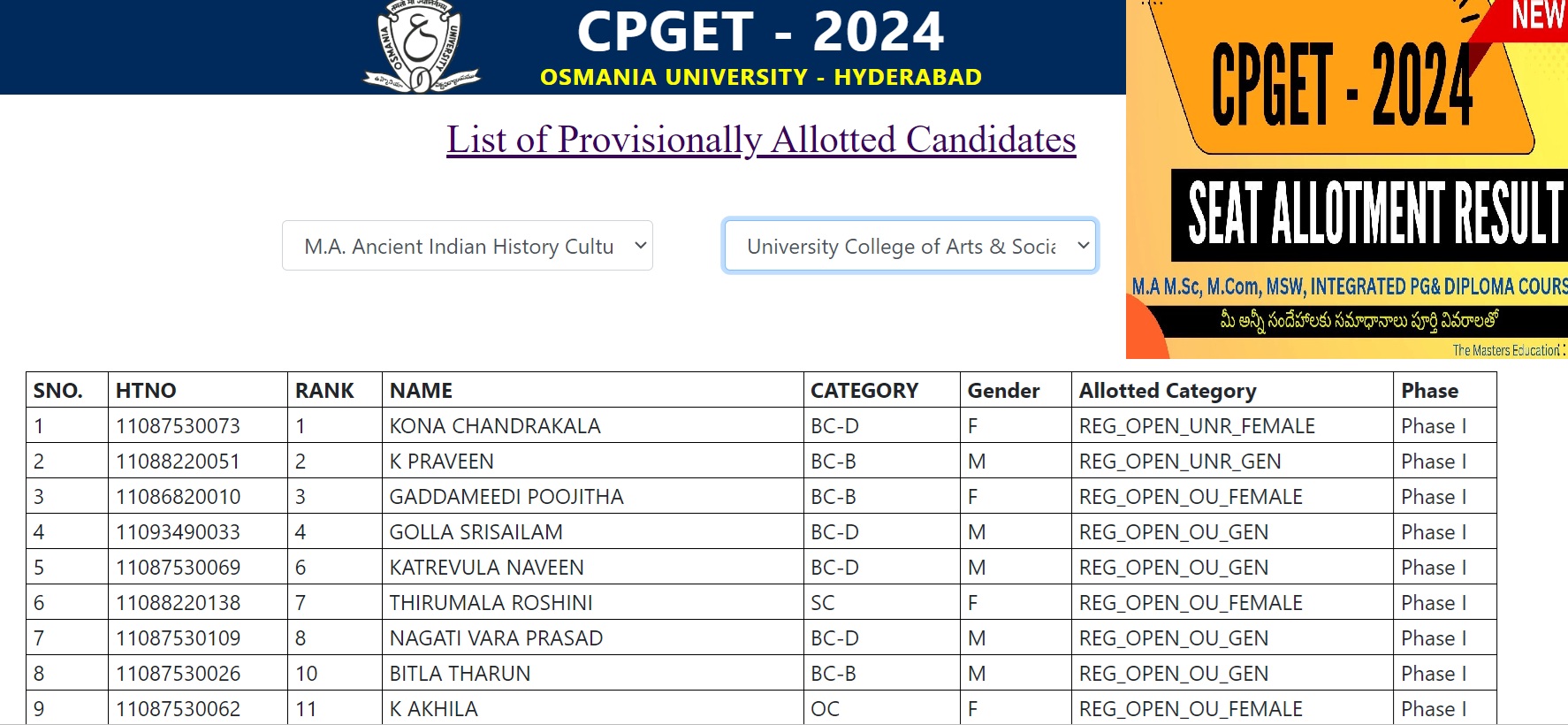
The CPGET (Common Post Graduate Entrance Tests) 2024 seat allotment results are eagerly awaited by thousands of aspirants. The process of downloading and verifying the CPGET seat allotment result can seem a bit complex, especially for those doing it for the first time. cpget.ouadmissions.com CPGET Seat Allotment Result 2024, we’ll provide a comprehensive guide on how to check your seat allotment status, make payments, and navigate through the reporting procedures effectively.
What is CPGET 2024 Seat Allotment?
CPGET is a common entrance exam for admission into various postgraduate courses in the state of Telangana. The seat allotment process follows the entrance test, where candidates are assigned seats in various colleges based on their ranks and preferences.
The CPGET seat allotment result is released online, and candidates need to follow a series of steps to download and verify their results. Additionally, candidates who aren’t satisfied with their allotted seat can apply for the second phase of seat allotment.
Step-by-Step Process to Check CPGET Seat Allotment Result
1. Visit the Official Website
The first step in checking your CPGET 2024 seat allotment result is to visit the official website. Ensure that you are on the correct site by confirming the URL provided by the official authorities. The official website link will typically be shared in important notifications.
2. Log In to the Candidate Portal
Once you are on the website, you will find an option titled “Provisionally Allotted Candidate Login.” Click on this option to proceed to the login page.
- Enter your Hall Ticket Number.
- Confirm your Rank.
- Click on Login.
This information allows the system to fetch your details and display your seat allotment status.
3. Verify Your Seat Allotment Status
After logging in, you will be able to see your seat allotment status. If a seat has been allotted to you, the system will prompt you to proceed with the next steps. In case no seat has been allotted, the status will display as “Not Allotted.” If you’re in the “Not Allotted” category, don’t panic! You can still participate in the second phase of the allotment process.
4. Review Seat Allotment Details
Once a seat is allotted, candidates should carefully review the details displayed, including:
- Candidate’s Name
- Hall Ticket Number
- Father’s Name
- Category
- Parental Income (important for fee-related concessions)
- College Allotted (including University and Campus information)
- Course Allotted (whether Regular or Self-Finance)
5. Payment of the Allotment Fee
If you’re satisfied with the allotted seat, you need to confirm it by making an online payment. The deadline for the payment is generally mentioned alongside your allotment details. For CPGET 2024, the last date to make the payment is 13th September 2024.
How to Make the Payment
- Once the seat is allotted, click on the “Proceed to Payment” button.
- You will be required to pay a fee of ₹800 (for reserved categories) or the full amount (up to ₹35,800) depending on your income status and category.
- Payments can be made through Debit Card, Credit Card, or Net Banking.
- Once the payment is made, a confirmation receipt will be generated.
6. Download Allotment Order
After successfully making the payment, candidates should download the Seat Allotment Order. This document is crucial and needs to be presented during the college reporting process.
Reporting to the Allotted College: Mandatory or Optional?
One of the most common doubts among candidates is whether they need to report to the allotted college immediately after the first phase of seat allotment. In the CPGET 2024 process, reporting to the college in person is not mandatory after the first phase.
Online Reporting Process
You can complete the reporting process online by:
- Logging into your CPGET portal.
- Completing the payment process (as detailed above).
- Confirming your seat through online reporting.
This process eliminates the need for physically visiting the college, allowing candidates to await the second phase if they wish to change their allotment.
Second Phase of CPGET Seat Allotment
If you’re not satisfied with the seat allotted in the first phase, you can opt for the second phase. Candidates who wish to apply for a different college or course in the second phase should follow the same web options procedure. However, ensure that you don’t miss the deadlines for phase two, as missing it would mean losing the opportunity for a better allotment.
What to Do if No Seat is Allotted?
If you are not allotted a seat in the first phase, you will have another chance during the second phase of web options. Here’s what you need to do:
- Check Your Rank and Category: Ensure that you have provided accurate details about your rank, category, and course preferences.
- Participate in Second Phase: Re-enter your web options during the second phase. Make sure to choose courses and colleges strategically based on your rank.
Documents Required for Final Reporting
Once you have confirmed your seat (either after the first or second phase), you will need to report to the allotted college with the following documents:
- SSC Memo (Original)
- Intermediate Memo (Original)
- Degree Memo and Provisional Certificate (for postgraduate admissions)
- Income Certificate (if applicable)
- Transfer Certificate (TC) or Custodian Certificate
- Caste Certificate (if applicable)
- Passport-size Photographs
Ensure all documents are in their original form and carry copies for submission.
Common Issues and Solutions During CPGET Allotment
1. Income Certificate Mismatch
If your income certificate doesn’t reflect the correct category (e.g., showing “Higher” instead of “Lower”), you need to submit a request to the CPGET Convenor’s office to update the details. Failure to do so may result in higher fees.
2. Forgotten Password
If you forget your login password, you can recover it using the “Forgot Password” option. A recovery link will be sent to your registered mobile number or email.
Conclusion
The CPGET 2024 seat allotment process can be navigated smoothly by following the correct steps. From verifying your result, making the necessary payments, to reporting to the college, ensure that you adhere to all deadlines and procedures. If you’re aiming for a better seat in the second phase, don’t forget to carefully re-enter your web options. For those content with their current allotment, confirming the seat through timely payment is crucial.
By following this guide, you can ensure a hassle-free admission process and secure your seat in the college of your choice.