


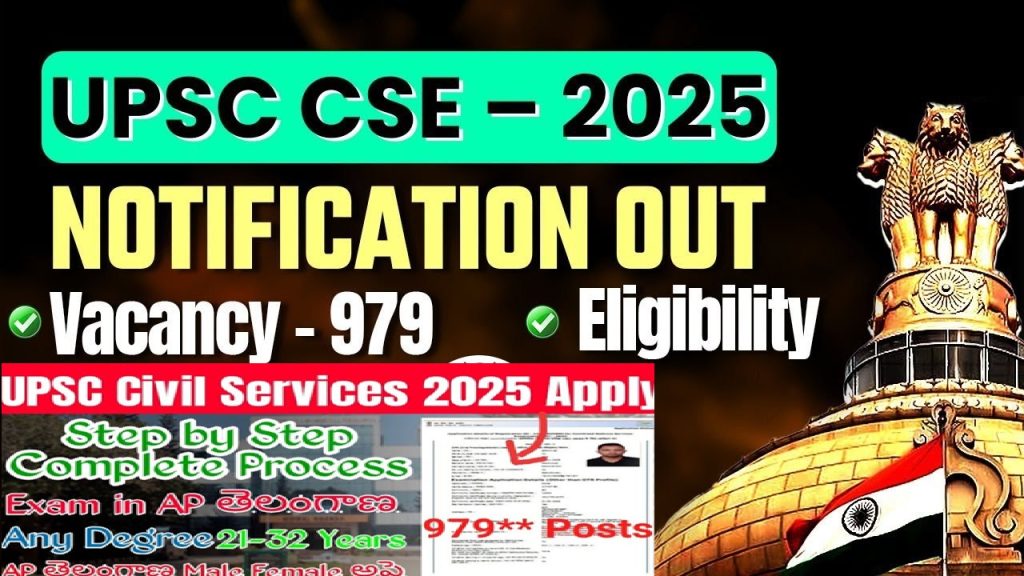
The Union Public Service Commission (UPSC) conducts the Civil Services Examination (CSE) annually for aspiring candidates. To participate in UPSC CSE 2025, candidates must complete the UPSC Online Form 2025. The application process began on January 22, 2025, and the deadline for submission is February 11, 2025. This article provides a comprehensive, step-by-step guide on filling out the application correctly to ensure a smooth registration process.
UPSC Online Form 2025: Key Details
The UPSC notification for the Civil Services Examination (CSE) 2025 was officially released on January 22, 2025. Eligible aspirants can apply through the official website upsconline.gov.in. The registration involves four primary stages:
- Part-I: OTR (One-Time Registration) Profile
- Part-II: Application Form Submission
- Part-III: DAF (Detailed Application Form)
- Part-IV: Fee Payment & Document Upload
Candidates must follow the application guidelines carefully to avoid errors during the submission process.
Pre-Requisites for UPSC Online Application
Before starting the online registration, candidates should keep the following documents and details ready:
- Active mobile number and email ID for communication.
- Graduation certificate details (degree, marks, and year of passing).
- Recent passport-size photograph (scanned in JPG format, 20 KB – 300 KB).
- Scanned signature (JPG format, 20 KB – 300 KB).
- Valid Photo ID proof (PDF format, 20 KB – 300 KB).
Having these documents ready will help streamline the application process.
Step-by-Step Process to Fill UPSC Online Form 2025
Part-I: One-Time Registration (OTR) Profile
- Visit the official UPSC website: upsconline.gov.in.
- Click on “Apply Online” on the homepage.
- Select “Online Application for Various Examinations” and proceed to Part I Registration.
- Read the instructions carefully and click “Yes” to continue.
- Enter personal details such as Name, Date of Birth, Gender, Father’s Name, Nationality, and Contact Details.
- Provide educational qualifications, graduation marks, and the number of attempts made.
- Choose your preferred Prelims examination center.
- Review and verify the entered details before clicking Submit.
- Upon submission, a Registration ID (RID) will be generated. Save this RID for Part-II registration.Part-II: Application Form Submission
- Log in to the portal using your Registration ID and Date of Birth.
- Proceed to fill out the remaining details, including your category and service preferences.
- Pay the application fee:
- General/OBC/EWS (Male): ₹100/-
- SC/ST/PwBD/Female candidates: Exempted
- Payment modes: Debit Card, Credit Card, Net Banking, UPI, or SBI Challan (offline mode).
- Select your preferred examination center.
- Upload necessary documents, ensuring they meet the specified format and size.
- Click “Submit” to complete Part-II of the registration.
Part-III: Detailed Application Form (DAF)
- Once Part-II is completed, proceed to fill out the Detailed Application Form (DAF).
- Provide additional details, including:
- Service Preferences (IAS, IPS, IFS, etc.).
- Other relevant personal and educational details.
- Click Submit to finalize the application.
Part-IV: Fee Payment & Document Upload
- Pay the application fee (if applicable) through the available payment gateways.
- Upload the required documents in the prescribed format:
- Photograph (JPG format, 20 KB – 300 KB).
- Signature (JPG format, 20 KB – 300 KB).
- Photo ID Proof (PDF format, 20 KB – 300 KB).
- Select your preferred examination center from the list provided.
- Final Submission: Review all details before submitting the form.
- Upon successful submission, you will receive a confirmation email and SMS.
UPSC Civil Services Examination 2025: Important Dates
- Notification Release Date: January 22, 2025
- Application Start Date: January 22, 2025
- Application Last Date: February 11, 2025
- Prelims Exam Date: May 25, 2025
- Mains Exam Date: To be announced
Vacancies for UPSC CSE 2025
UPSC has announced 979 vacancies for Group A and Group B services. Some of the key positions include:
Group A Services
- Indian Administrative Service (IAS)
- Indian Foreign Service (IFS)
- Indian Police Service (IPS)
- Indian Revenue Service (IRS)
- Indian Railway Services
Group B Services
- Armed Forces Headquarters Civil Service
- Delhi & Union Territories Civil Service (DANICS)
- Delhi & Union Territories Police Service (DANIPS)
- Pondicherry Civil Service
- Pondicherry Police Service
PwBD Reservation: 38 vacancies are reserved for Persons with Benchmark Disabilities (PwBD).
Eligibility Criteria for UPSC CSE 2025
Candidates must meet the following eligibility criteria:
- Educational Qualification: Bachelor’s degree from a recognized university.
- Age Limit: 21 – 32 years (as of August 1, 2025), with relaxation for OBC (3 years) and SC/ST (5 years).
- Number of Attempts:
- General: 6
- OBC: 9
- SC/ST: Unlimited (until age limit).
Selection Process for UPSC CSE 2025
The UPSC Civil Services Examination consists of three stages:
- Preliminary Examination (Objective Type)
- General Studies Paper I: 200 marks
- CSAT Paper II: 200 marks (Qualifying)
- Mains Examination (Descriptive Type)
- Total Papers: 9 (7 counted for merit, 2 qualifying)
- Total Marks: 1750
- Personality Test (Interview)
- Total Marks: 275
Final merit is based on Mains (1750 marks) + Interview (275 marks) = 2025 marks.
Common Issues and How to Fix Them
1. OTP Verification Not Working
- Try using a different browser like Chrome or Firefox.
- Request OTP during off-peak hours.
- Check spam or promotions folders in your email.
2. Login Errors (Email or Mobile Number Not Recognized)
- Ensure you are using the exact details entered during OTR.
- Clear browser cache and cookies before attempting login.
3. Document Upload Failing
- Reduce file size using online compression tools.
- Ensure the file format is strictly as per UPSC guidelines.
4. Application Fee Payment Issues
- Use a different payment method if one fails.
- Wait for 24 hours before retrying if the transaction is pending.
Why is the UPSC Form So Complex?
Many aspirants believe the UPSC’s form-filling process is unnecessarily complicated. Some of the key criticisms include:
- Unnecessary Document Requirements: Students are required to provide excessive details, making the form cumbersome.
- Limited Edit Options: Minor mistakes in names or dates can disqualify a candidate without an option to correct them.
- Helpline Inefficiencies: The official helpline often remains unresponsive, leaving candidates without assistance.
- Overcomplicated Bureaucracy: The form includes unnecessary steps that do not contribute to the exam’s integrity.
What Needs to Change?
To improve the UPSC form-filling experience, the following changes should be implemented:
- Extend Application Deadlines: Many students fail to submit due to technical glitches.
- Introduce an Edit Window: Allow candidates to correct minor mistakes.
- Improve Server Efficiency: Reduce website crashes and OTP delays.
- Enhance Customer Support: Ensure timely responses to queries.
Final Thoughts: Overcoming the UPSC Form Hurdles
Filling out the UPSC form should not be as challenging as the exam itself. While candidates must be meticulous, the commission must also simplify the process. If you are facing difficulties, remain patient, follow the steps in this guide, and seek help through official UPSC channels. The journey to becoming a civil servant begins with the application—make sure it’s done right!
For further updates, stay tuned to official UPSC notifications and forums where students share real-time solutions to technical issues.