


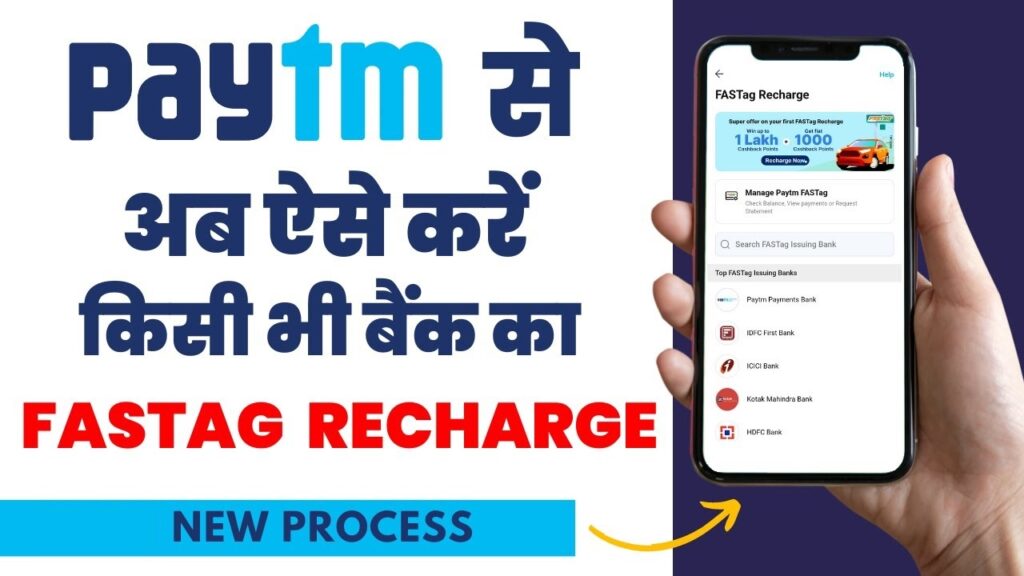
In today’s fast-paced world, convenience is key, especially when it comes to managing essential services like FASTags for toll payments. Paytm, a leading digital payments platform, has introduced a new feature on its app, allowing users to recharge their FASTags seamlessly. This step-by-step guide will walk you through the process, ensuring hassle-free transactions and smooth journeys on highways.
Introduction to Paytm FASTag Recharge Feature
Paytm has recently launched a new feature on its app, enabling users to recharge their FASTags directly through the platform. This initiative aims to offer added convenience to users amidst regulatory changes and scrutiny.
Benefits of Paytm FASTag Recharge:
- Convenience: Recharge your FASTag anytime, anywhere, without the need to visit physical outlets or toll plazas.
- Time-saving: Skip long queues and delays at toll plazas with quick and easy recharges on the Paytm app.
- User-friendly Interface: Paytm’s intuitive interface makes the recharge process simple and accessible for all users.
How to Recharge FASTag via Paytm App
Follow these simple steps to recharge your FASTag effortlessly using the Paytm app:
Step 1: Navigate to ‘Bill Payments’ Section
- Tap on the ‘Bill Payments’ section within the Paytm app.
Step 2: Select ‘FASTag Recharge’
- Locate and select the ‘FASTag Recharge’ option from the list of bill payment services.
Step 3: Choose Issuing Bank
- Select your FASTag issuing bank from the available options.
Step 4: Enter Vehicle Details
- Enter your FASTag-linked vehicle number accurately.
Step 5: Proceed to Payment
- Confirm the details and proceed to enter the recharge amount.
Step 6: Complete Transaction
- Click on ‘Proceed to Pay’ to complete the transaction securely.
Step 7: Recharge Confirmation
- Your FASTag will be instantly updated with the recharge amount, ensuring uninterrupted toll payments.
How to Purchase HDFC FASTag on Paytm App
Apart from recharging existing FASTags, Paytm also offers the option to purchase new FASTags from HDFC Bank through the app. Follow these steps to get your HDFC FASTag:
Step 1: Search for ‘Buy HDFC FASTag’
- Open the Paytm app and search for ‘Buy HDFC FASTag’.
Step 2: Enter Details
- Provide the required details as prompted by the app.
Step 3: Make Payment
- Complete the payment process, and your HDFC FASTag will be delivered to your registered address.
Frequently Asked Questions
Q1: Can I recharge my FASTag using the Paytm app from any bank?
A1: Yes, the Paytm app supports FASTag recharges from multiple issuing banks, ensuring flexibility for users.
Q2: Is it safe to recharge FASTag via the Paytm app?
A2: Absolutely. Paytm ensures secure transactions using advanced encryption technologies, safeguarding your payment details.
Q3: Are there any additional charges for FASTag recharges on Paytm?
A3: Paytm does not levy any extra charges for FASTag recharges. You only pay the recharge amount, making it a cost-effective solution.
Conclusion
With Paytm’s user-friendly interface and seamless transaction process, managing your FASTag has never been easier. Whether you need to recharge your existing FASTag or purchase a new one, the Paytm app offers a convenient solution, saving you time and effort on your journeys.